 Talk to Lana & Stuart
A tradesperson’s website brings in quote requests when it does five things well. It says clearly what you do and where. It works quickly on a phone. It makes asking for a quote easy. It shows your real work and real reviews. And it’s set up so you can see where each enquiry came from. A website that looks fine but stays quiet is usually missing one or more of these.
Does my website need to say exactly what I do and where?
Yes. As soon as someone lands on your site, they should know what you do, where you work and how to get in touch. “Electrician in Leith” or “Plumbing and heating across Edinburgh and the Lothians” tells a visitor far more than a slogan does.
Give each main service its own page. Someone looking for a fuse board upgrade or a boiler repair wants a page about that job, not a list of everything you do, and a page about one job gives Google something specific to show for that search. Name the towns and areas you cover in plain words, so people nearby can see you’ll come to them.
Does it matter how my website works on a phone?
Yes, a lot. Many of the people looking for a tradesperson are on their phone, often in the middle of a problem: a leak under the sink, a switch that keeps tripping, a door that won’t shut. If your page is slow to load or hard to read, they go back to Google and try the next name.
Check your own site on your own phone. Does it load quickly? Can you read it without zooming in? Can you tap your phone number to call? Is the quote button easy to find without scrolling a long way? Large photos straight from a camera are a common reason a page loads slowly, so make sure yours are resized for the web.
How easy should it be to ask for a quote?
As easy as you can make it, and never more than a tap or two away. Put a clear quote button at the top of every page, and again after each section, so nobody has to hunt for it. Keep the form short: ask for what you need to price the job and nothing else, such as the type of job, the area or postcode and how to reach them. For anyone who would rather talk, show a phone number that calls you when tapped.
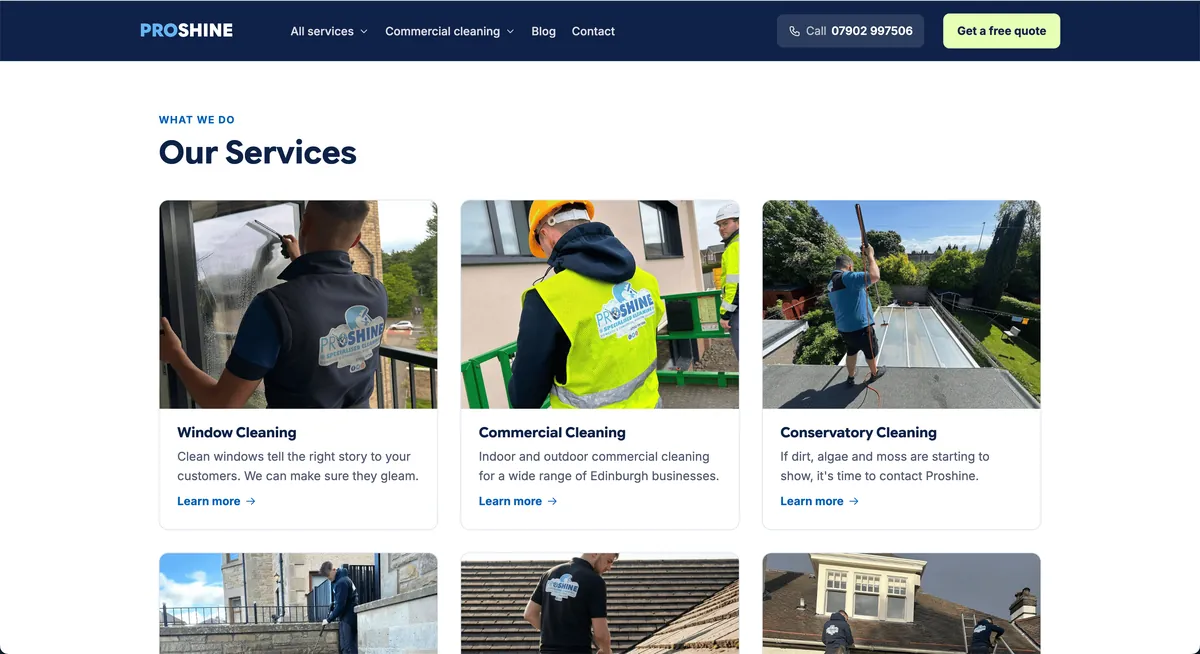
When we rebuilt the website for Proshine Specialised Cleaning, an Edinburgh business, every service got its own page, and every page was built to take a quote request, with a form that asks only for what’s needed to price the job. Their new website brings in 10x more quote requests than their old one.
Should I show my own photos and reviews?
Yes. Photos of your own jobs show the standard of your work in a way nothing else can: a joiner’s finished staircase, a kitchen fitter’s worktops, a tidy new consumer unit. A before and after of the same job works well. Use your own pictures only; never pass off someone else’s work as yours.
Reviews do the same job for trust. Show your Google rating and a few recent reviews close to your quote button, where people are deciding whether to get in touch, and keep them up to date.
How do I know which enquiries came from my website?
You set the site up to record where each call and form came from: a Google search, your Google listing, an ad or a social media post. Without that, you’re guessing which part of your marketing is working and where to spend next.
Tracking calls and enquiry forms from the day a site goes live means you can see what it’s doing for your business. It also tells you when something stops working, such as a form that has quietly broken, before you lose a month of enquiries to it.
What should I check first if my website isn’t bringing in enquiries?
Start with the first three: is it clear what you do and where, does it work on your phone, and is asking for a quote easy? They’re the quickest to check, and you can check all three yourself with your own phone.
If you’d like a second pair of eyes, ask for our free marketing review. We look at how your business shows up on Google and email you a plan of what to fix first. It’s yours to keep, with no call needed.
And if you’re in or around Edinburgh and want a website built around quote requests, see how we do web design in Edinburgh, or talk to Lana & Stuart.